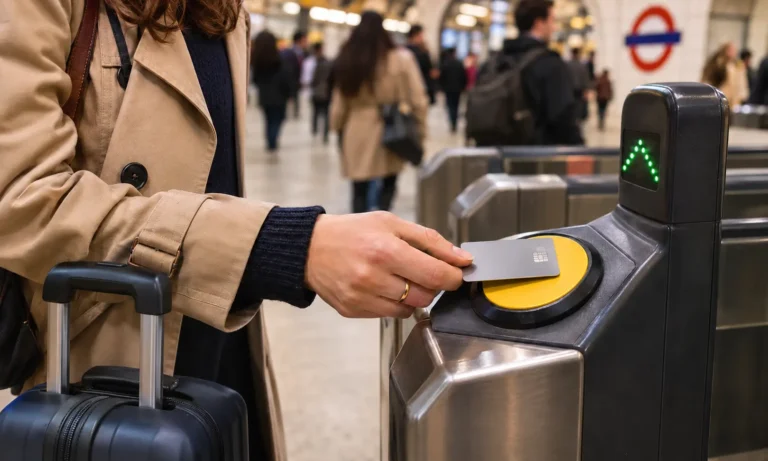

The best eSIM for UK travel is the one whose network covers the places you’re visiting, with enough data for your trip and a set-up you’ve finished before you fly. Price matters, but a cheap plan on the wrong network, or one you can’t activate at arrivals, costs far more in stress.
This guide explains how to choose a UK eSIM, how to install it properly, and what to do in the first few minutes after landing. It also covers something most eSIM guides skip: how to reach your pre-booked driver when your eSIM gives you data but no UK phone number.
Best eSIM for UK Travel: What to Look For
You don’t need to compare twenty brands. Check these five things instead:
- The network: The plan should name its UK network, such as EE, O2, Vodafone or Three.
- The data: For a typical week of maps, messaging and bookings, 5–10GB is a sensible range.
- The phone number: Most travel eSIMs are data-only. Pay for a UK number only if you’ll actually need one.
- The activation rule: Find out whether the validity starts when you install it or when it first connects in the UK.
- The countries: If your trip includes Ireland or mainland Europe, make sure every country appears on the plan’s list.
Plans and prices change often, so read the details on the provider’s own page before you pay. A brand that suits one trip may not suit the next.
How to Choose a UK eSIM for Your Trip
The right plan depends on where you’re going, how long you’re staying and how you use your phone.
Check the network behind the plan
A travel eSIM doesn’t have its own masts. Instead, it borrows signal from a UK mobile network, so its coverage can only be as good as that network’s.
Coverage isn’t equal across the country. According to Ofcom’s spring 2026 figures, good 4G reaches 96% of the UK’s landmass from at least one operator, but only 84% from all four. So if your route leaves the big cities, the host network matters more than the brand on the app.
Before you buy, look up your hotel or route with Ofcom’s Map Your Mobile tool. It shows predicted coverage from EE, O2, Vodafone and Three at a specific place. Vodafone and Three merged in May 2025 and are still combining their networks, so don’t assume a travel plan gets both.
Work out how much data you need
Think about what you’ll do each day, not just how long you’re away:
- Maps, messaging and bookings only: a few hundred megabytes a day is usually enough.
- Plus photos, social media and train apps: plan on 5–10GB for a week.
- A two-week trip with the same habits: roughly double that, so around 10–20GB.
- Video calls, streaming or a laptop hotspot: you’ll need a much larger allowance.
If you’re unsure, buy a little more than you expect to use. Alternatively, pick a provider that lets you top up from the app without reinstalling anything.
Data-only or a UK phone number?
Most travel eSIMs give you data only. Calls and texts carry on through your home SIM, or through apps such as WhatsApp.
That suits most visitors. However, a data-only eSIM can’t receive a normal call or text on a UK number. Some plans do include a UK number with local calls and texts, which helps on longer stays or if you’ll ring local businesses. Banks may not accept a temporary UK number for security codes, though, so keep your home SIM for those.
Fixed data or “unlimited”?
“Unlimited” often means you won’t be cut off, rather than that your speed stays high all day. Some plans slow you down after a daily allowance, which makes video calls or uploads painful.
For ordinary sightseeing, a fixed allowance is often better value than an unlimited plan. If you need a hotspot for a laptop, read the fair-use and tethering terms first.
UK-only or a Europe plan?
If you’re only visiting England, Scotland, Wales or Northern Ireland, a UK plan is usually simplest. Be careful at the edges, though. A UK plan won’t always cover the Republic of Ireland, and the Channel Islands and the Isle of Man can sit on separate country lists.
Heading on to Dublin, Paris or Amsterdam as well? Compare a regional plan that names the UK alongside every other country on your route.
Check your phone first
Your phone must support eSIM and be unlocked from your home network. Support depends on the exact model, not just the brand.
On most phones, you’ll find an option such as “Add eSIM” in the mobile or cellular settings. If it’s missing, contact your network or phone maker before you buy a plan.
Check the refund terms
Before you pay, read what happens if the eSIM doesn’t work for you. Refund rules vary between providers, and some depend on whether you’ve already installed or activated the plan. Knowing the terms in advance saves an argument with support later.
Travel eSIM vs Roaming vs a Local UK SIM
| Option | Best for | Watch out for |
|---|---|---|
| Travel eSIM | Most short and medium trips | Usually data-only, with no UK number |
| Roaming on your home plan | Travellers whose home network includes cheap UK use | Daily charges and bill shock |
| Local UK SIM or eSIM | Long stays, or when you need a UK number | Set-up takes longer for a short visit |
Roaming can be the easiest choice if your home network already includes good-value UK use, so check your own tariff first. For many visitors, though, a travel eSIM gives a fixed cost they know in advance.
How to Set Up Your eSIM Before You Fly
Most problems start with a rushed set-up at the airport. Give yourself ten quiet minutes at home, on reliable Wi-Fi, a day or two before you travel:
- Buy your plan, then keep a copy of the activation details where you can open them without internet.
- Add the eSIM through the provider’s app or by scanning its QR code.
- Give each line a clear name, such as “UK data” and “Home”, so you can tell them apart later.
- Keep the new line off for data until you land, unless your provider says otherwise.
- Save offline maps of the areas you’re visiting.
- Write down your airport transfer details, including how the driver will contact you.
Install now, switch on when you land
Some eSIMs start counting their validity as soon as you install them. Others only start once they connect in the destination country.
Find out which rule your plan follows. If the clock starts on installation, leave it until the day before you fly, so you don’t waste days of your plan.
Keep your home SIM for codes and calls
Leave your home SIM switched on, so bank codes and texts still reach you. If your network charges for roaming, turn off data roaming on that line. Your phone will then use the eSIM for data and your home SIM for calls and texts.
WhatsApp normally keeps working on your usual number. Now and then, though, it asks you to confirm by text, which is another reason to keep your home SIM active.
What to Do When You Land in the UK
The first few minutes after landing are when your eSIM matters most. You may need to message your driver, open a train ticket or check your hotel booking.
Switch on, step by step
As soon as you’re allowed to use your phone:
- Turn off flight mode.
- Choose your UK eSIM as the line for mobile data.
- Switch on data roaming for the eSIM line if your provider asks you to. Many travel eSIMs need it.
- Make sure your home SIM’s data roaming is still off.
- Give the phone a minute or two to find a network.
Planning to book a ride-hailing car at the kerb? You’ll need working data first. Our comparison of taxi, Uber and private transfers explains how each option works for a UK arrival.
If your eSIM won’t connect
Resist the urge to delete the eSIM, as some profiles can’t be reinstalled without contacting support. Work through these checks instead:
- Confirm mobile data is set to the eSIM line, not your home SIM. This is the most common slip.
- Check data roaming is on for the eSIM line.
- Switch flight mode on and off again.
- Restart your phone.
- See whether your provider asks you to enter APN settings.
- If none of that works, contact the provider’s support over Wi-Fi.
Use airport Wi-Fi as a backup
Many UK airports offer free Wi-Fi. At Birmingham Airport, for example, you can connect free in half-hour sessions anywhere in the terminal. Use it to message your driver and contact your eSIM provider while you sort things out.
Treat it as a backup, though, not a plan. Airport Wi-Fi is a poor place to download and install an eSIM for the first time.
How to Contact Your Driver with a Data-Only eSIM
Here’s where many visitors get caught out. With a data-only eSIM, you don’t have a UK number, so your driver can’t simply ring you on one.
Agree the contact method when you book
When you book an airport transfer, find out how the driver or operator will contact you. Then give them a number that will genuinely work when you land.
- If your home SIM stays active, give that number, including the country code.
- If you’d prefer WhatsApp, ask whether the operator can message you that way.
- Save the operator’s phone number and your booking reference before you fly.
If your flight is delayed
Delays are when contact matters most. NET’s Birmingham Airport transfers include flight tracking, so your driver can see if you land early or late.
Still, send a quick message once you’re through passport control, especially if bags are slow to arrive. If your eSIM hasn’t connected yet, use the airport Wi-Fi.
Meeting your driver in arrivals
With meet and greet, your driver waits inside the arrivals hall holding a name board. You can find them without any data at all, which helps if your eSIM is slow to connect. Our guide explains what meet and greet involves at UK airports.
Using Your eSIM Around the UK
Once you’re connected, a few habits keep your data working for the rest of the trip.
Cities, trains and the countryside
London, Manchester, Birmingham and Edinburgh are easy for most networks. Signal gets patchier in national parks, deep valleys, tunnels and on remote stretches of railway.
Before you leave the cities, save maps for offline use. Your phone’s GPS will still place you on them with no signal, though anything live, such as traffic or bookings, will wait until you reconnect.
Staying somewhere remote after you land? A long-distance taxi transfer straight from the airport means you won’t need to navigate patchy roads on patchy data.
On the London Underground
Mobile signal on the Tube is improving fast, but it isn’t everywhere yet. Transport for London is rolling out 4G and 5G across the Underground, aiming to cover the whole network by the end of 2026. By mid-2026, around 60% of underground stations had coverage, with more tunnels switching on through the year.
EE, O2, Vodafone and Three all take part, so a travel eSIM using one of those networks should connect wherever coverage is live. Check TfL’s latest coverage map before you travel, and save tickets or directions offline in case you pass through a section that’s still dark.
Families and shared data
Some plans let you share data through a hotspot, so one eSIM can connect a child’s tablet or a second phone. Others block or limit it, so read the hotspot rules first. For a bigger family, several small plans can be simpler than sharing one.
Landing as a family with plenty of bags? It’s also worth booking a vehicle with room for everyone’s luggage, so nobody waits at arrivals while you sort out a second car.
If you lose your phone
Unlike a physical SIM, an eSIM can’t be taken out and put in another phone. Contact your eSIM provider straight away, as many can switch off the profile remotely. Keep your plan details in your email so you can reach them from another device.
UK Residents Flying Abroad
The same principles work in reverse when you fly out of the UK. The UK is outside the EU’s roaming rules, and roaming from the big UK networks often costs much more than a travel eSIM.
On your way home, switch mobile data back to your home SIM as soon as you land. If you’ve booked a taxi home from the airport, make sure the driver has your usual number.
Your UK eSIM Checklist
- Phone supports eSIM and is unlocked
- Plan names its UK network and covers every country on your route
- Data allowance matches how you’ll use your phone, with top-ups available
- Refund terms read before paying
- eSIM installed on home Wi-Fi, with both lines clearly named
- Home SIM on for texts, with data roaming off
- Offline maps and tickets saved
- Airport transfer booked, with the driver’s contact method agreed
- eSIM provider’s support details saved offline
Book Your Airport Transfer Before You Fly
Your eSIM takes care of data, but the ride from the airport matters just as much after a long flight. With a pre-booked transfer, someone is waiting for you even if your phone takes a few minutes to connect. NET arranges airport transfers across the UK, including Heathrow, Gatwick and Manchester.
You’ll see a fixed price before you confirm, and we track your flight on arrival. Share your flight number and the best way to reach you, then book your airport transfer online.
Related Articles
- Pre-Booked Taxi vs BHX Taxi Rank: Which Is Better for You?
- Taxi from Birmingham New Street: Where to Meet Your Driver
Frequently Asked Questions
What is the best eSIM for UK travel?
It’s the one that names its UK network, covers your route, has enough data and is easy to set up. There’s no single winner, so compare plans on these points rather than the brand.
How much data do I need for a week in the UK?
For maps, messaging, bookings and photos, 5–10GB is a sensible range. You’ll need more for video calls, streaming or a hotspot.
When should I install my eSIM?
Install it at home on Wi-Fi a day or two before you fly. First check whether the validity starts on installation or when it connects in the UK.
Can I buy an eSIM after I arrive in the UK?
Yes. You can buy and install one over airport or hotel Wi-Fi after landing. Buying and installing at home is easier, though, because you’ll be connected as soon as you land.
Why is my eSIM not working after landing?
Usually mobile data is still set to your home SIM, or data roaming is off on the eSIM line. Check both, toggle flight mode, and don’t delete the eSIM.
Can I keep my home number with a UK eSIM?
Yes. Keep your home SIM on for calls and texts, turn off its data roaming, and use the eSIM for data.
Can I get a UK phone number with an eSIM?
Some plans include a UK number with local calls and texts, but most travel eSIMs are data-only. Read the plan details before you buy.
How will my taxi driver contact me if my eSIM is data-only?
Give the operator your home number with the country code, or ask whether they can use WhatsApp. Meet and greet also helps, because your driver waits for you inside arrivals.
Will my eSIM work on the London Underground?
In many places, yes. TfL is adding 4G and 5G across the Tube, and around 60% of underground stations had coverage by mid-2026, with the whole network targeted by the end of 2026. Check TfL’s coverage map before you travel.
Does a UK eSIM work in Ireland?
Not always. Northern Ireland is part of the UK, but the Republic of Ireland must be listed on your plan separately.